Fluw / Web applications
Build a web application with AI
A client portal, internal tool or first version of a product. Describe users, data and actions, then work on your application in the browser.
Describe your applicationOne workflow from input to result
Illustrative workflow
- 01
A person acts
Access request
- Resource
- Project documents
- Reason
- Prepare the next delivery
An employee fills in a form
A subject, description and required information.
- 02
Data changes
- id
- 024
- resource
- Documents
- status
- In review
The request appears in a list
The responsible person reviews it and updates the status.
- 03
A result appears
Request receivedYou can follow its status in your account.
The user sees the result
Check confirmation, errors and access to other users’ records. This is an example brief to implement, not a preconfigured feature promise.
An application helps people complete a task
A website presents information. In a web application, a user also submits a request, selects data or changes a status. It runs in a browser; it is not a native app-store application.
Inside Fluw
Your app has data. Your project has a place to manage it.
Create a data structure and connect it to the interface. Project management separates draft data from the live website.
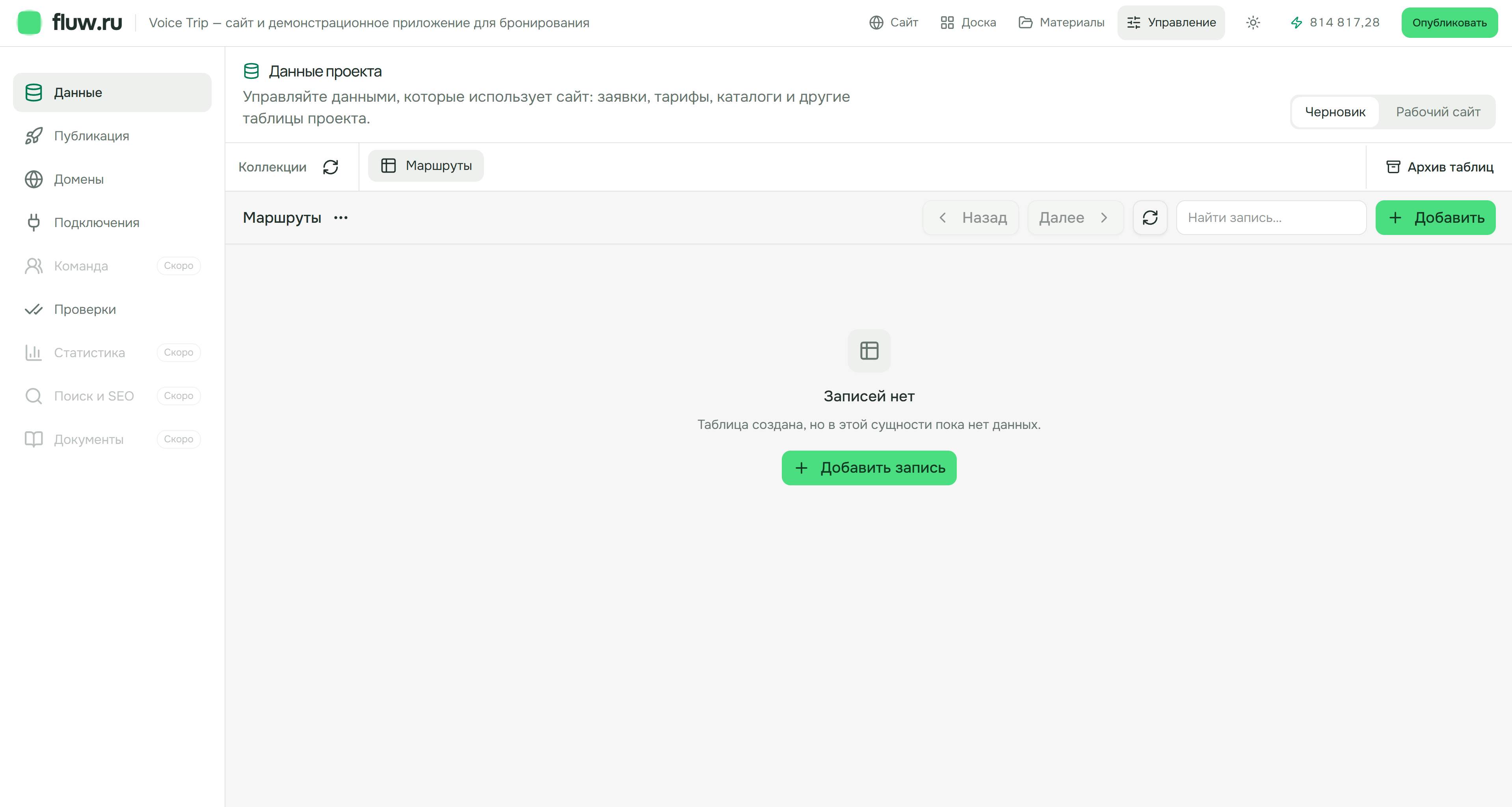
Actual Fluw interface in Russian. Voice Trip is a demonstration project; this table has no records yet.
Where to start
Describe the rules
Start with one action that is useful to a real person. Describe its rules before expanding the project.
- 1
Who uses the application and which roles are needed.
- 2
What data people enter, who sees it and who can edit it.
- 3
What happens after an action and when an error occurs.
- 4
Which external systems are needed and the direction of data exchange.
Test the first working version
Walk through the main workflow with test data. Then test empty and invalid inputs, permissions and repeated submissions. A visible interface alone does not prove that data handling and restrictions work.
Test the full workflow
- Valid and invalid input
- Different user roles
- Repeated submission
- A clear result and error message
Connections for your workflow
Discuss data sources and access with the team. Not every system has a ready-made connection; each integration needs verification.
Plans
Choose a plan for your work on the project. Our team is here to help you finish it.
Loading current plan terms…
Before you start
Does it work on a phone?
It opens in a mobile browser. Check the layout and complete workflow at a mobile size.
Can it store data?
Project management includes data tables. Create the structure, connect it to the interface and verify access for your application.
How do I validate complex logic?
Define expected outcomes and exceptions, then run test scenarios. Our team can help with validation and integrations.