How to use AI to build a website
Describe the task, add your materials and review the first version. Then change one thing at a time. This guide shows what to write and how to check the result in Fluw.
What you can delegate to AI
AI is most useful when it receives a concrete task, source material, and a selected area to change—and the team can review the result in the browser.
- Assemble a first version
- Suggest page structure, headlines, supporting copy, forms, and a basic composition from the task.
- Rewrite the content
- Shorten, clarify, or adapt copy for an audience while preserving the supplied facts and constraints.
- Change a selected element
- Rework a specific screen, section, card, or form without forcing the team to restart from a blank page.
01. Give the AI something specific to work with
Consider a website for a service that helps sales teams manage incoming requests. A short request gives very little direction:
Make a beautiful modern website for our service.
The AI has to guess who it is for, what the service does and what the visitor should do. Add these details instead:
Build a website for an internal request service. Our audience is sales team leads. Explain how the team can see requests and their statuses in one place. Use our service description and screenshots. The main action is to request a demonstration. Use a light background, readable text and large product screens. Do not invent customer numbers, testimonials or savings.
Now the brief has an audience, a task, source material, visual direction and an action. You can refine the exact wording after seeing the first version.
02. Bring your own source material
If an important fact is missing from the source material, it is not validated merely because it appears in generated copy.
- Copy and documents
- Company and service descriptions, process notes, FAQs, rules, and approved wording.
- Images and visual direction
- Logos, interface captures, photography, references, and presentation requirements.
- Products and data
- Catalogue fields, specifications, prices, and stock only in the scope and status provided to the project.
- Editing instruction
- The selected element, what to preserve, what to change, and the criteria for accepting the result.
A reference is more useful with an explanation. For example: keep this amount of whitespace, show the product at this scale, use short headings. Your own copy and photographs also help the site feel specific to your business.
03. Refine one result
Return to the sales service example. After the first version, review the opening section. Suppose the heading is too long. Ask for a focused change:
Shorten the headline. Explain the result for the sales team. Do not add figures or promises that are not in the source material.
One possible wording to review is:
Keep requests and statuses in one working view
Does this accurately describe your service? Does the demonstration link work? Is the heading still readable on a phone? Accept the change only after checking these points.
- What is changing?
- A page, section, headline, card, form, or another visible interface element.
- Which sources apply?
- Name the factual source, required terminology, and anything the AI must not invent.
- What must remain?
- For example, the primary action, form fields, visual character, or sequence of steps.
- How will it be accepted?
- Review meaning, facts, mobile layout, links, forms, and fit with the original task.
Review the page where you work on it
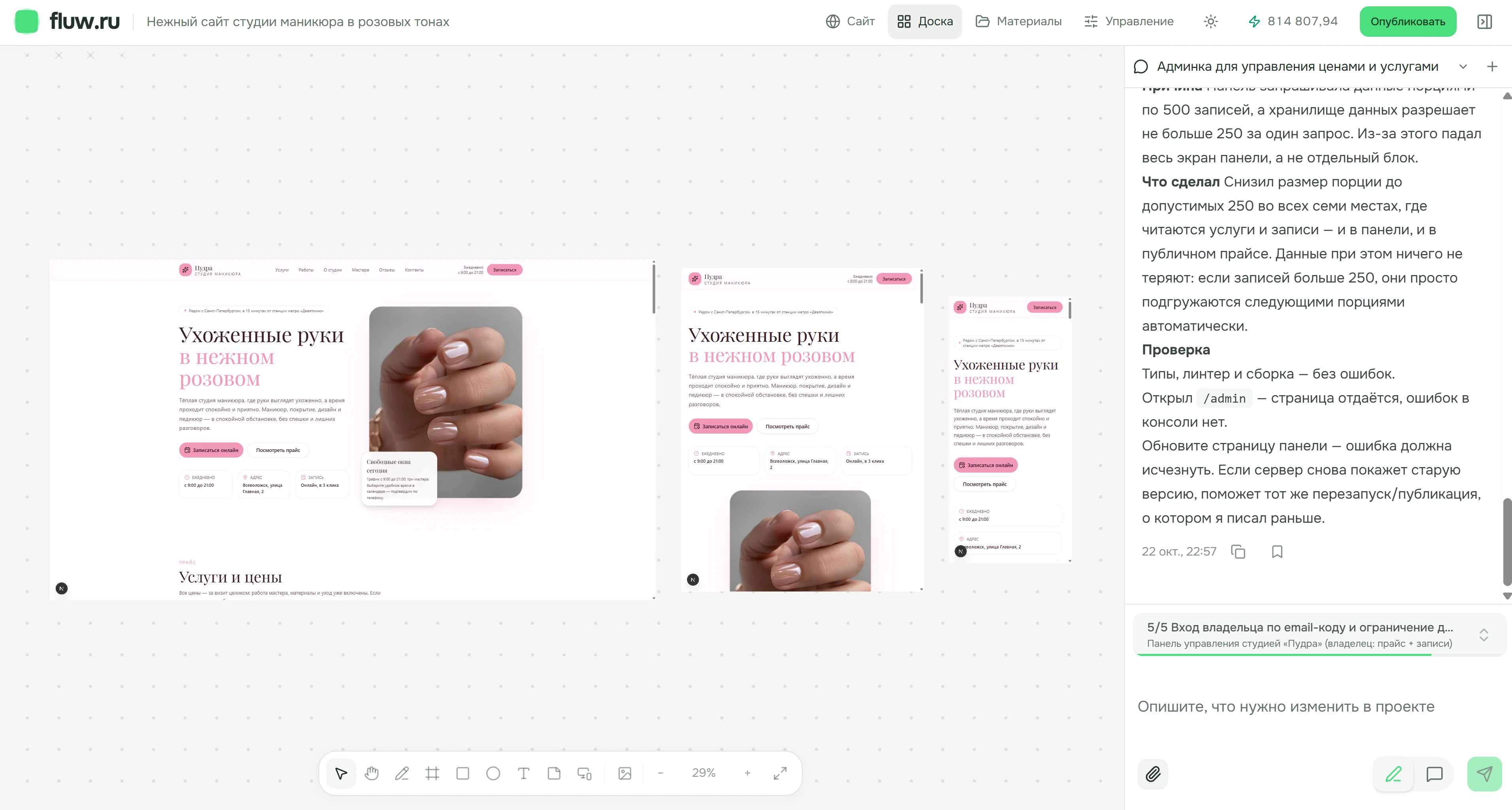
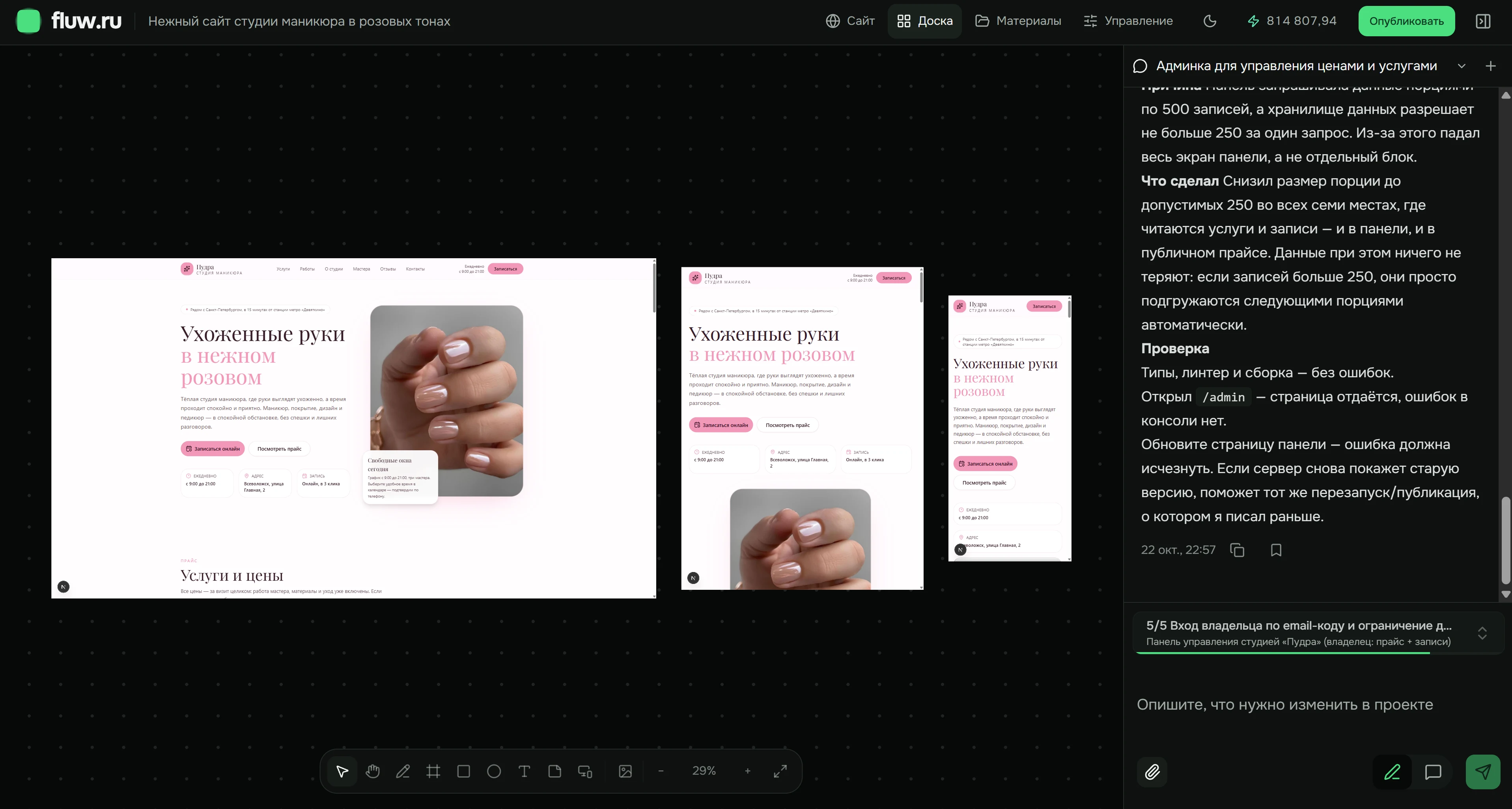
This is the actual Fluw board, showing the Pudra manicure studio project. Desktop, tablet and phone previews sit together. The interface is shown in Russian.
04. Check the website before publishing
A polished interface can still contain an incorrect fact, an unsupported term, or an untested journey.
What the team must check
- Claims about the company, product, timing, price, and commercial terms
- Rights to copy, images, data, and any other source material
- Forms, links, user actions, and mobile states
- Legal wording, security, and access to data
What AI does not guarantee
- Accuracy of claims that are absent from validated sources
- Readiness of a new integration, payments, or critical business logic
- Legal or industry compliance without qualified review
- Readiness for a public launch without human verification
For a simple website, you can move through this cycle yourself. If access rules, integrations or complex business logic are involved, ask the team to help you assess and check the workflow. Write to Fluw ↗
What to expect from AI in Fluw
Will AI publish the website automatically?
No. You open the result in the editor, review the materials, claims, and actions, and decide what should happen next.
Can I change only one section?
Yes. Select the element and describe what to preserve and what to change. Review the result in the context of the whole page.
Does AI verify prices and legal terms?
No. It can use supplied data and wording, but the responsible team confirms accuracy, currency, and legal correctness.
What happens when an integration is required?
First verify the API, permissions, fields, and direction of data exchange. A new connection and critical logic need a separate technical assessment.
How detailed should my prompt be?
Include the audience, purpose, essential content and the main action. Add visual references and specify what must stay. Refine smaller details after reviewing the first version.
How do I avoid a generic result?
Use your own photographs and copy, name specific visual references and explain what you like about them. Replace broad words like beautiful with concrete requirements.
Describe the first page and its source material
Include the audience, primary action, validated facts, and anything the AI must preserve or avoid inventing.
Explore the AI website builder ↗